Create and edit job offers

Description

For the job offers there is a separate tap/area in the CMS. Job offers are created and managed here.

  • New job offers can be created
  • Edit job offers
  • Show or hide and delete job offers
  • Job offers consist of three parts: 1. job title and main conditions (like employee type or salary), 2. job description, 3. company overview
Instruction

Job offers in CMS

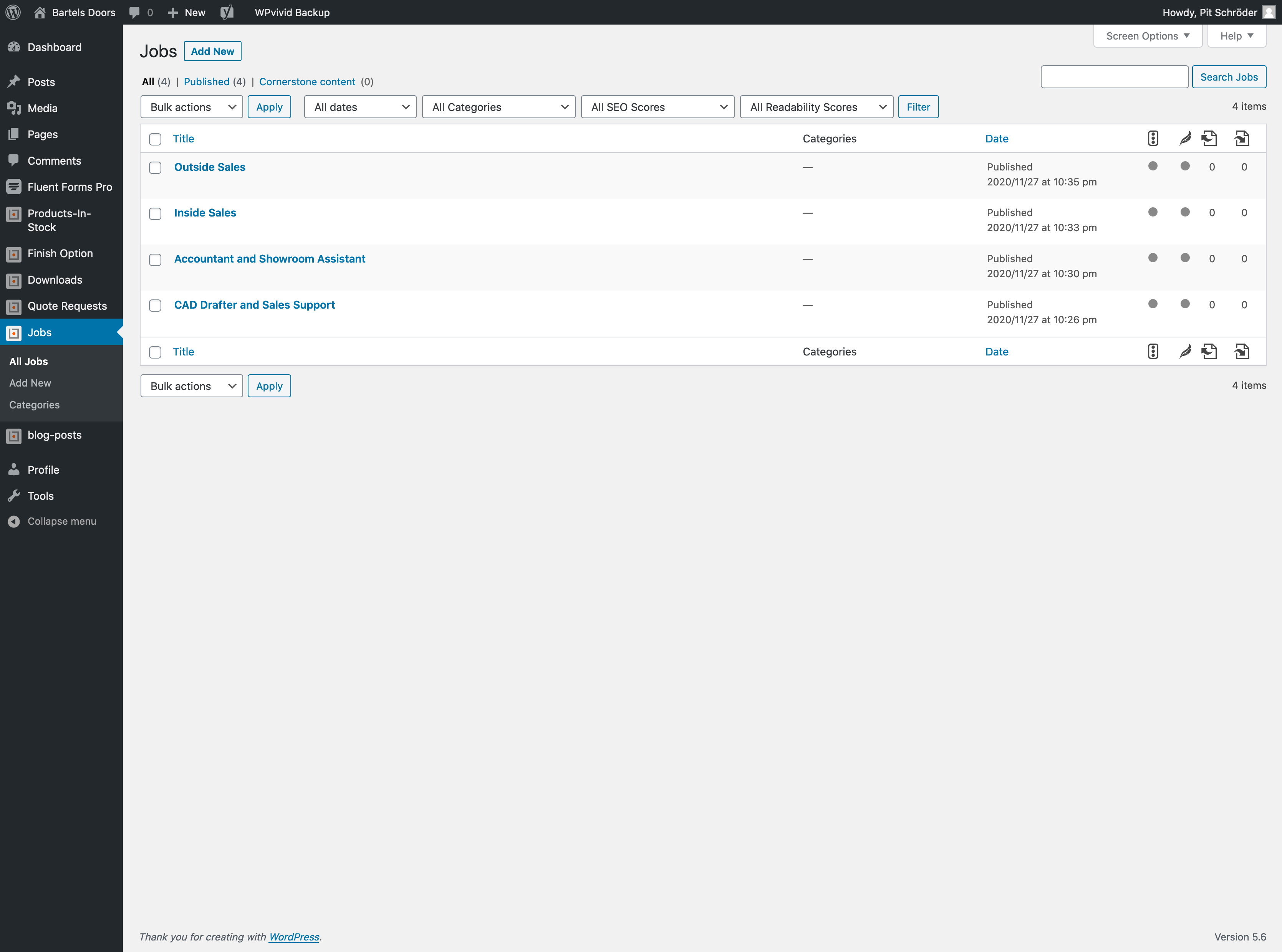
Each job offer has its own page. These pages can be found under "Jobs".
  • To create a new job offer click on "Add new".
  • To edit or delete an existing job offer, click on the corresponding job offer or hover over it - several options will appear, including delete.

Note: Job offers can be shown or hidden individually. You could also say they are active or inactive and can be reactivated/shown at a later time.

Edit job offers/create a new job offer

Click "add new" for a new job offer or call an existing job offer (edit job).
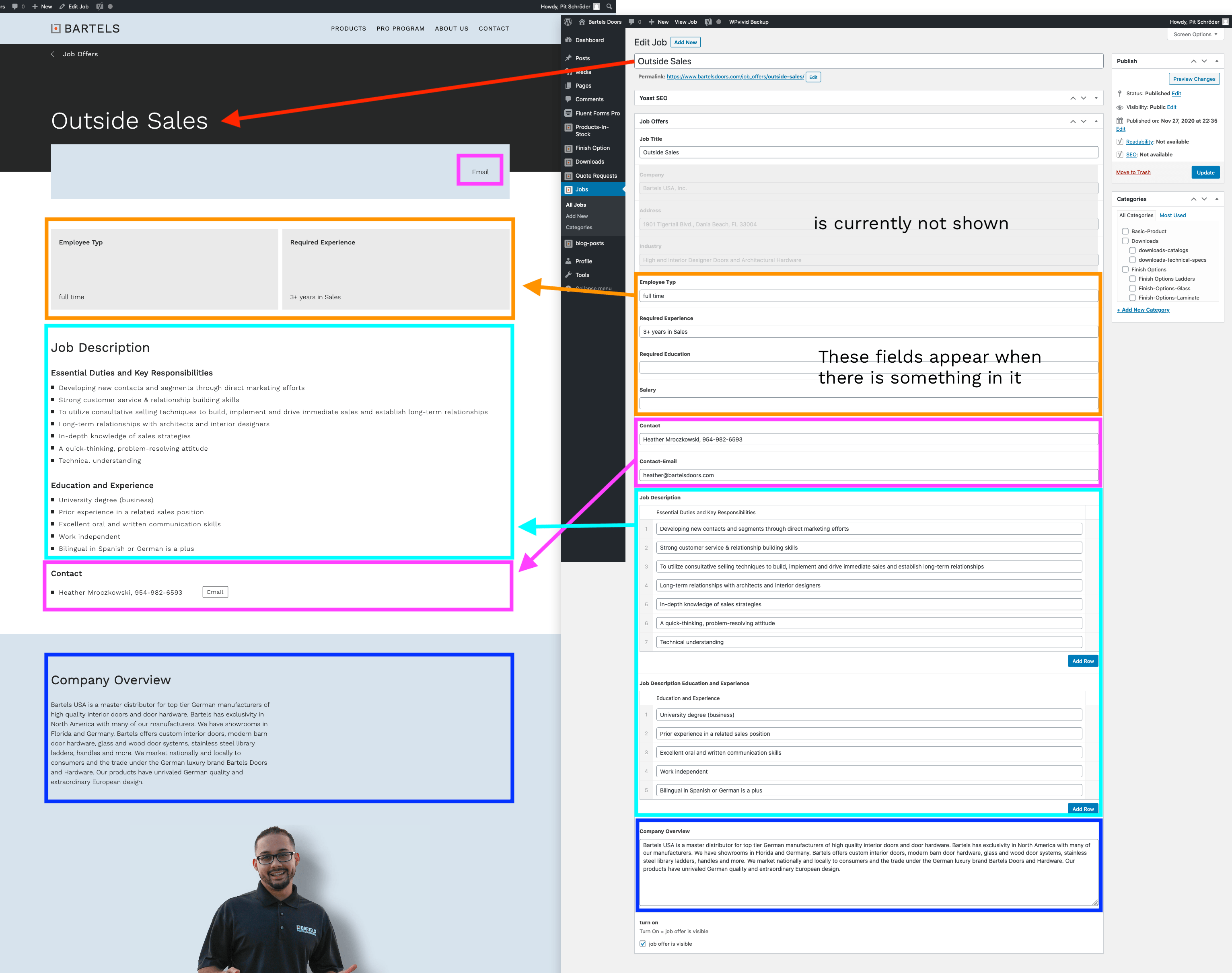
  • When editing or creating a new job offer, a mask with various fields appears.
  • Some of the fields are prefilled. These suggestions can be taken over or overwritten. This is for example Heather under Contact or the Company overview.
  • Input fields under Job Description are individually expandable. Click on "Add Row" to create a new row. This can also be deleted.
  • Empty fields are not displayed. The fields can be used but do not have to. ("main conditions" – These are the gray text boxes above the job description).

Show or hide job offers

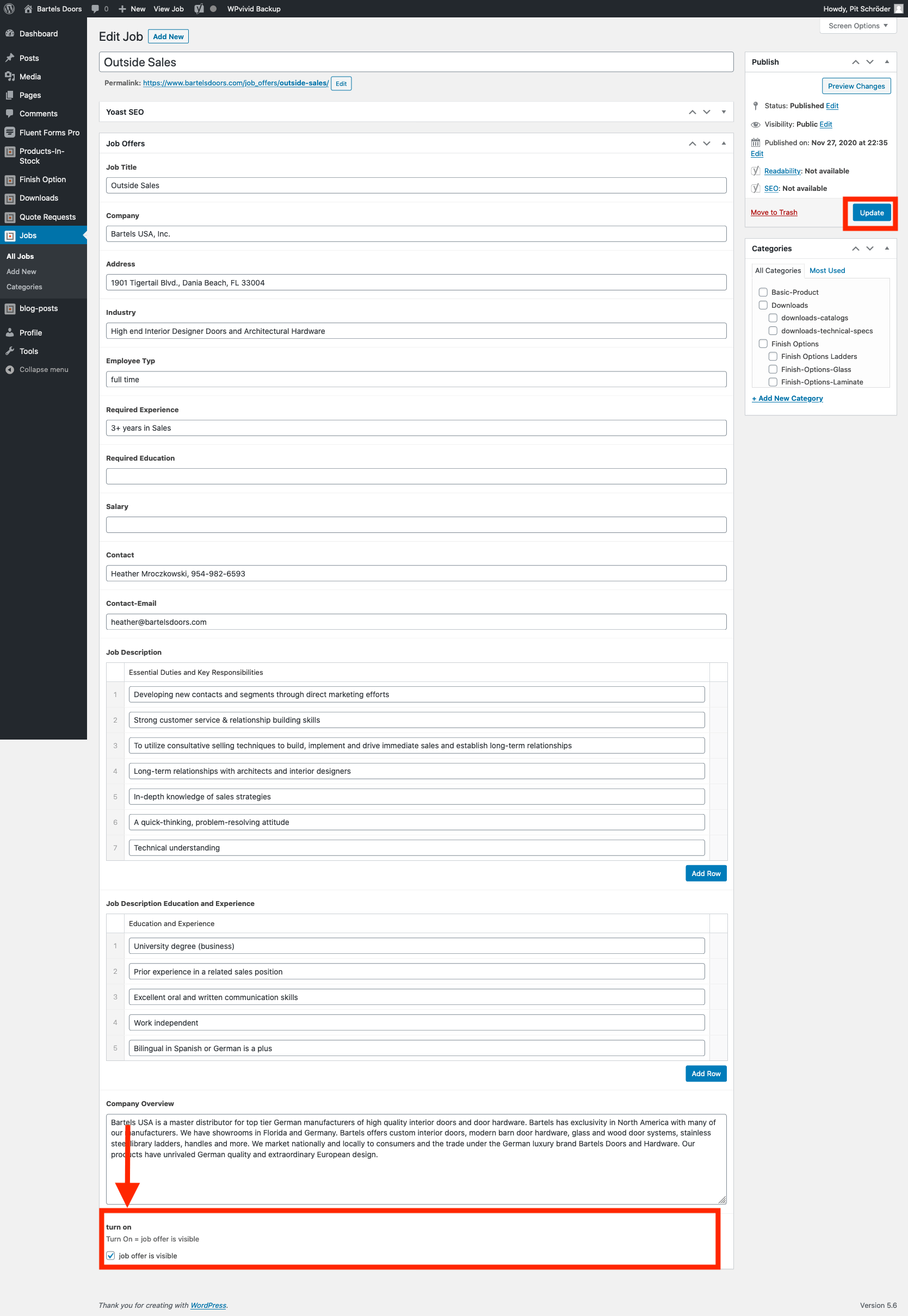
On each job offer page there is a checkbox at the bottom. If the checkbox is selected (has a check), the job offer will be displayed.

After each change, the page must be updated in the CMS - button "update".
Overview Page Job Offers

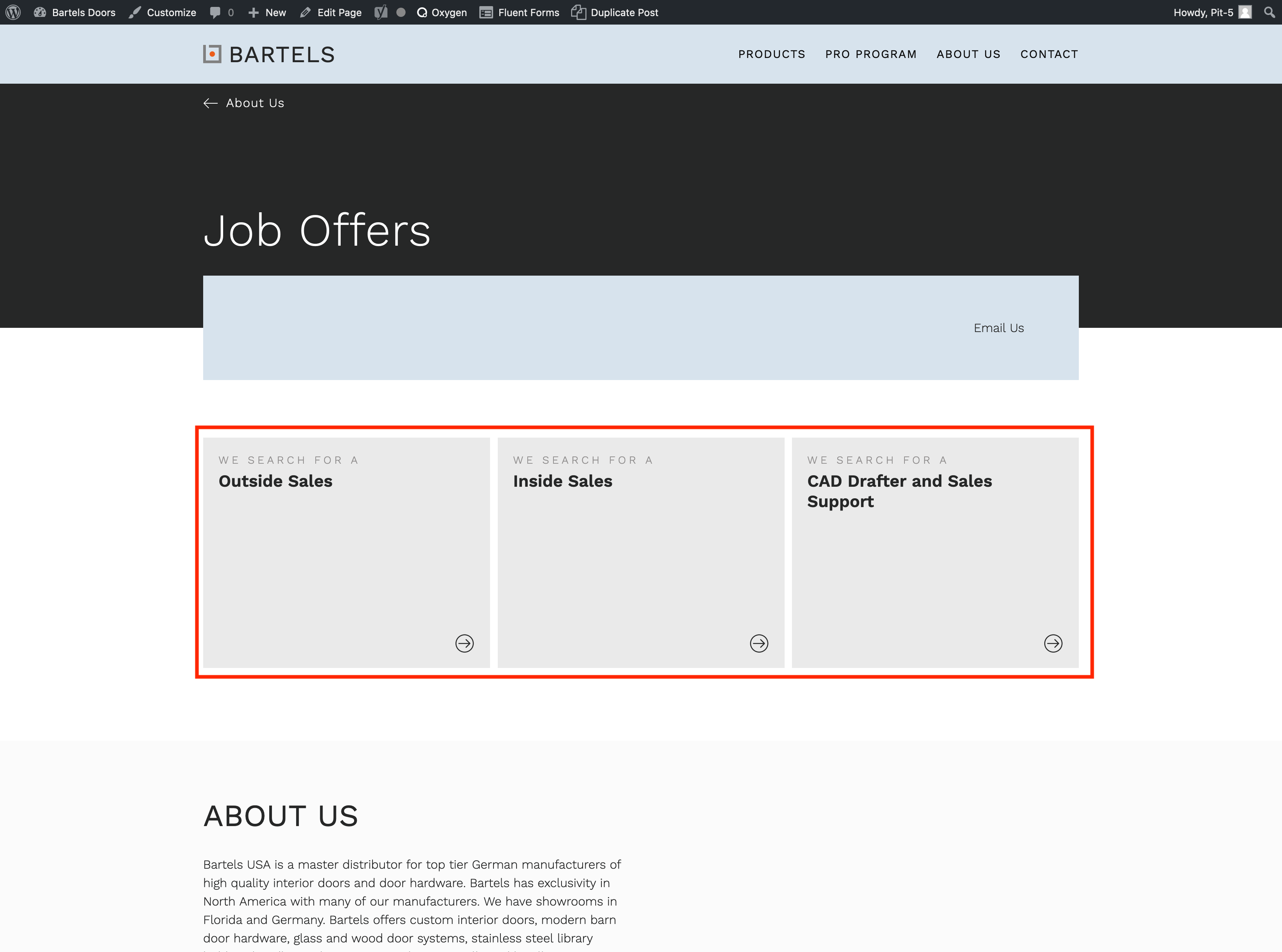
The overview page with the job offers is generated from the job offers that are set to "show". Here you do not have to do anything 😉

Go to this page (bartelsdoors.com)
You must be logged in to the CMS to edit this page.
Questions, comments, extensions
Email
Copyright © 2026 All Rights Reserved
Top crossmenuchevron-downarrow-left