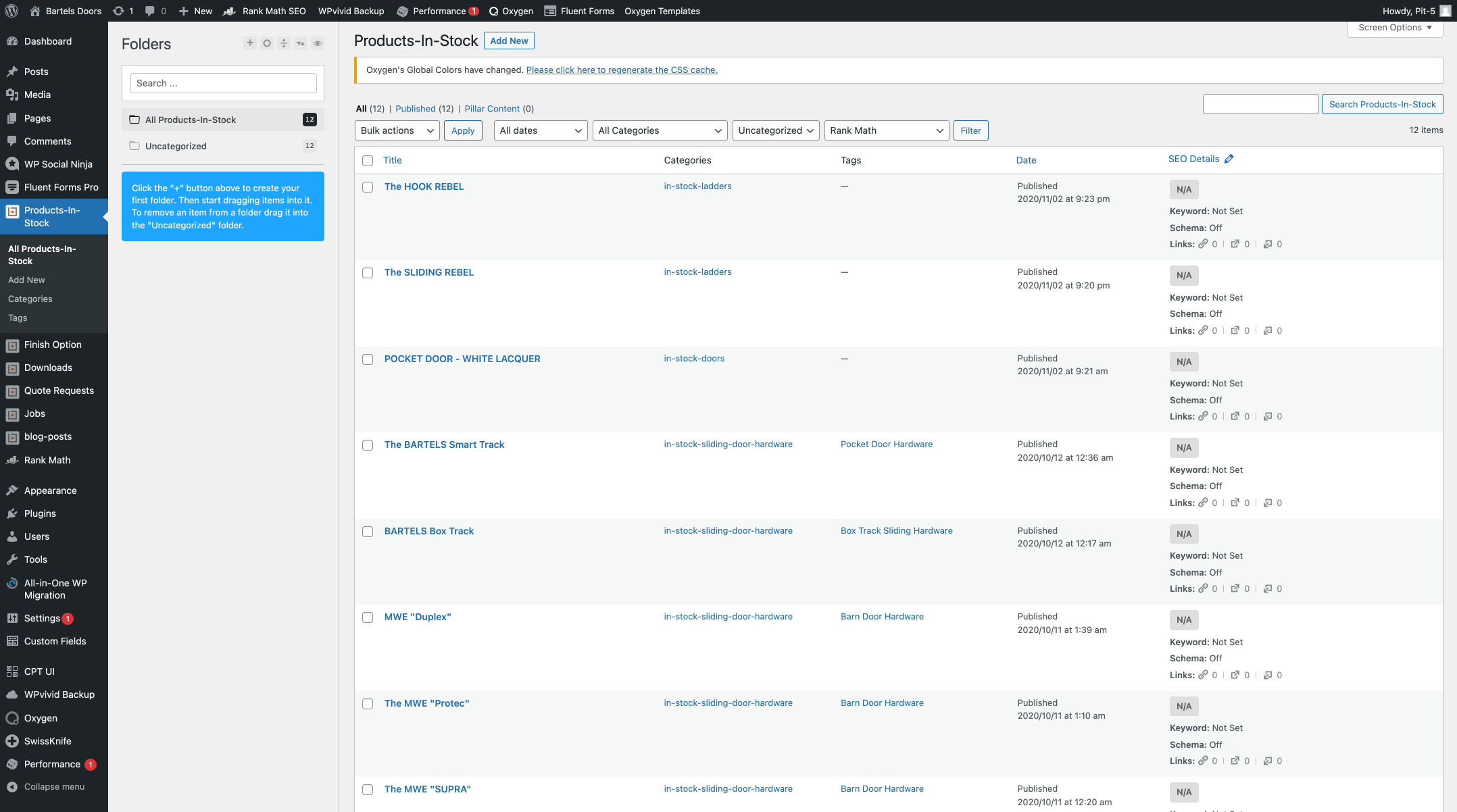
In stock products are managed in the CMS under "in stock products".
Texts and prices can be changed there.
On the website, in stock products are displayed in the three categories. Within the categories, different individual products can be grouped together (https://www.bartelsdoors.com/products/in-stock/)
Instruction
In stock products are managed in the CMS under "Products In Stock"
Under "Products In Stock" appear all products, ladders, doors, hardware...
Select the appropriate product and click on "edit". "Edit" and other options appear above the product name on rollover.
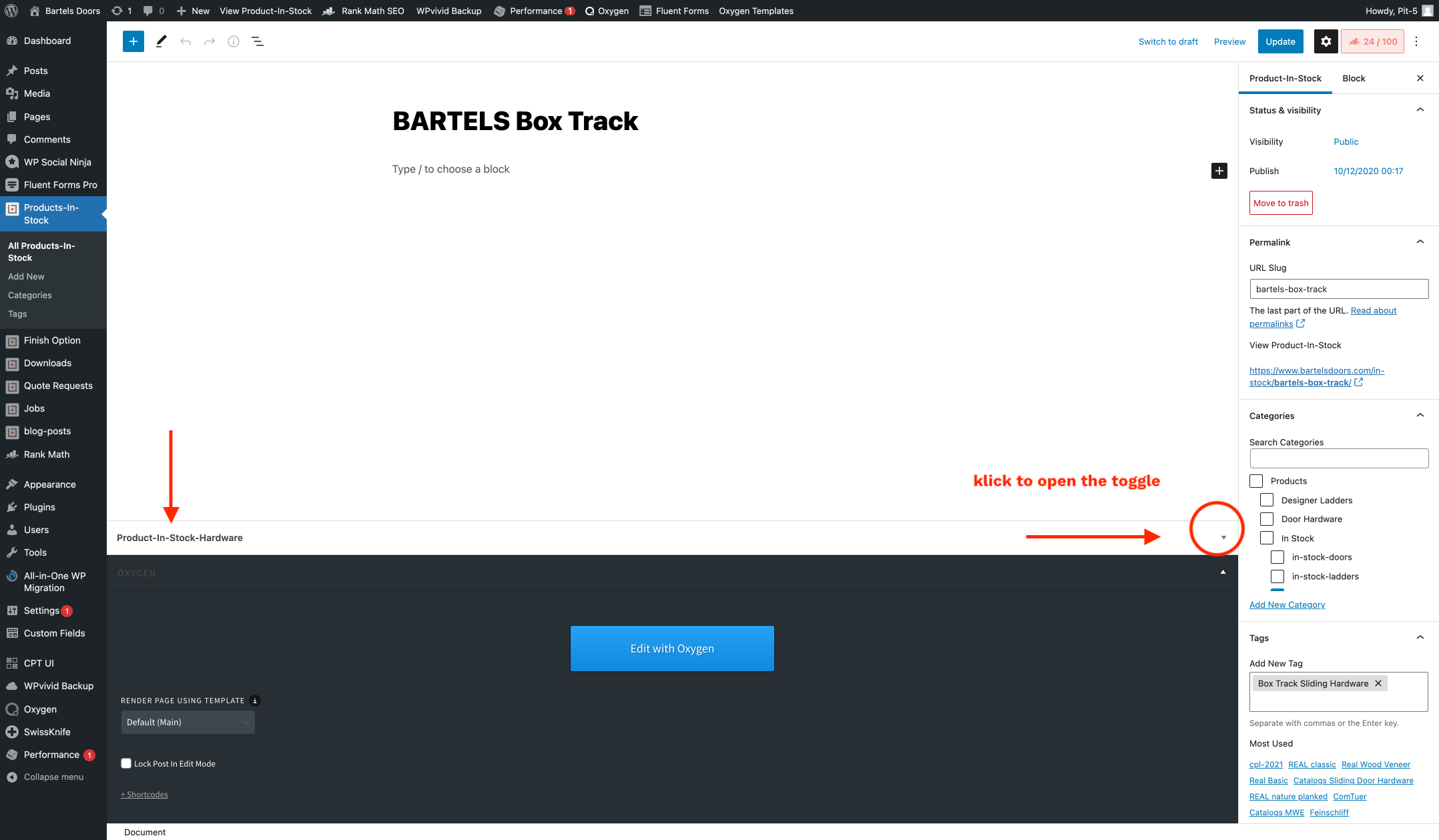
If the page looks like this - change it:
To make changes you may need to expand the tab "Product-In-Stock-Hardware".
Notice: Avoid clicking on the blue "Edit with Oxygen" button - nothing will happen.
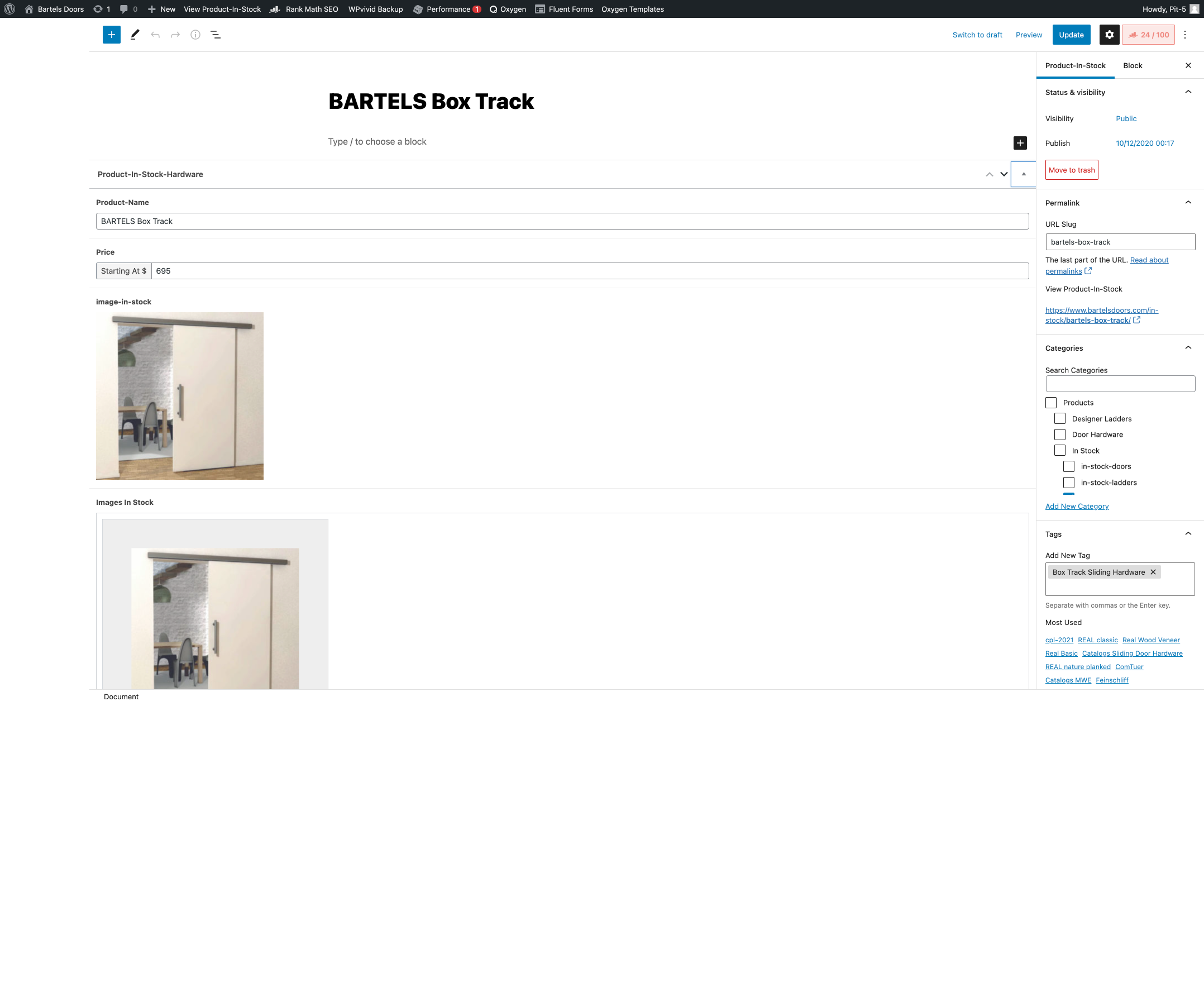
Change product information and/or prices
Here you can change or add prices and texts.
When you are done with the changes, click on the blue button "update" in the upper right corner.
After saving you will get a short message.
Check the website to see if the change is visible. Do a reload if necessary.